Converting Geometry
Assembly Conversion
It is possible transform a logical volume into an assembly volume. This is useful in the case of two sources of geometry: placement of top level world logical volume solids will likely result in an overlap. This effectively removes the outermost logical volume but keeps the daughters. The produced assembly volume can then be placed or imprinted somewhere in the geometry.
An assembly cannot be used as an outermost ‘world’ volume for a geometry hierarchy.
Assuming lv is a pyg4ometry.geant4.LogicalVolume instance:
av = lv.assemblyVolume()
GDML to FLUKA
It is possible convert a pyg4ometry geometry to FLUKA. This is currently a work in
progress and not all Geant4-GDML constructions are implemented, although they can
be quickly added. Given a LV variable named logical
1import pyg4ometry
2reader = pyg4ometry.gdml.Reader("input.gdml")
3greg = reader.getRegistry()
4freg = pyg4ometry.convert.geant4Reg2FlukaReg(greg)
5w = pyg4ometry.fluka.Writer()
6w.addDetector(freg)
7w.write("FileName.inp")
If you want to load a file into Flair then a flair file can be written based on FileName.inp using the following
1 extent = logical.extent(includeBoundingSolid=True)
2 f = pyg4ometry.fluka.Flair("FileName.inp",extent)
3 f.write("FileName.flair")
Here is an example (viewed in Flair) of a simple Geant G4 solid that has been converted to FLUKA using this method
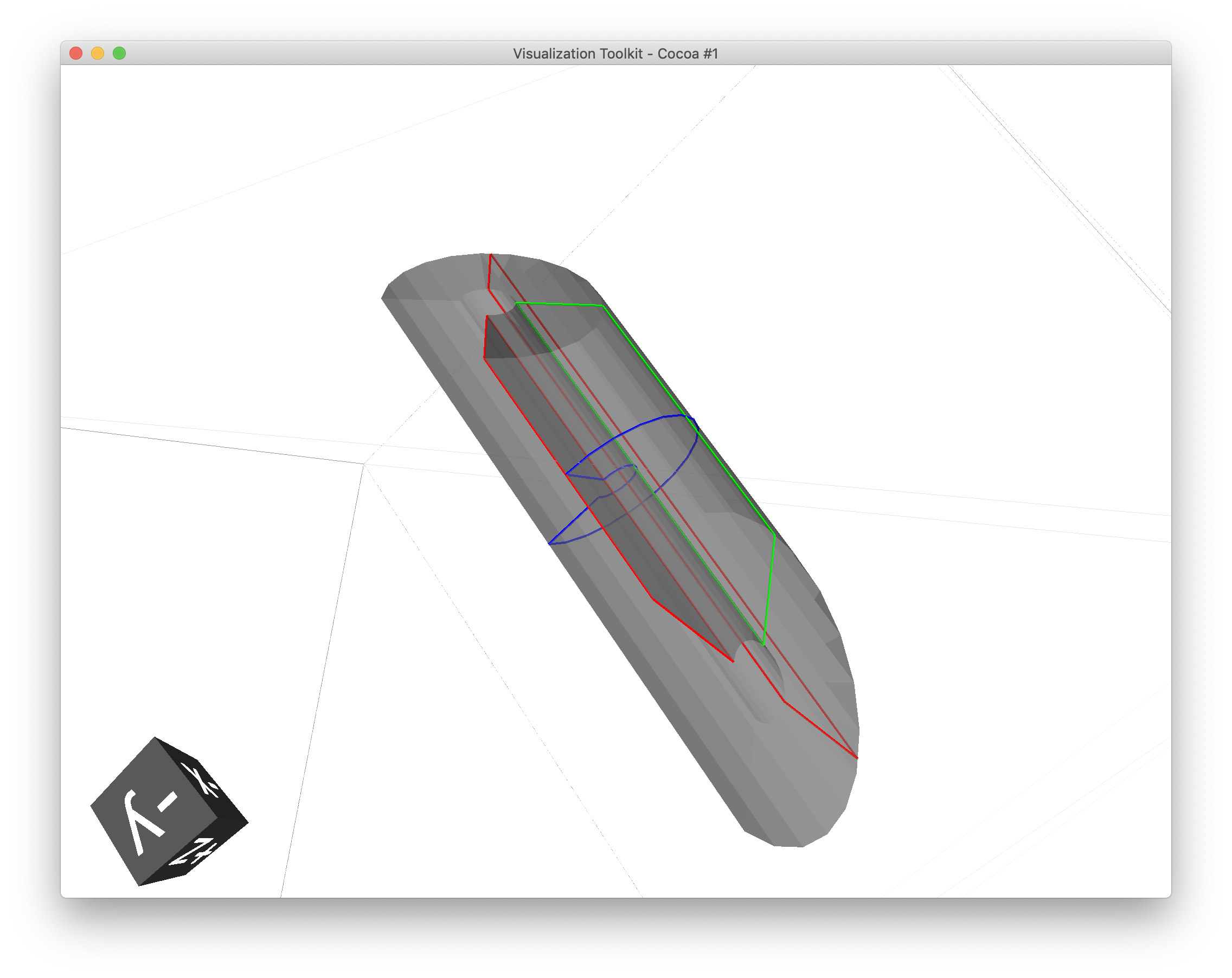
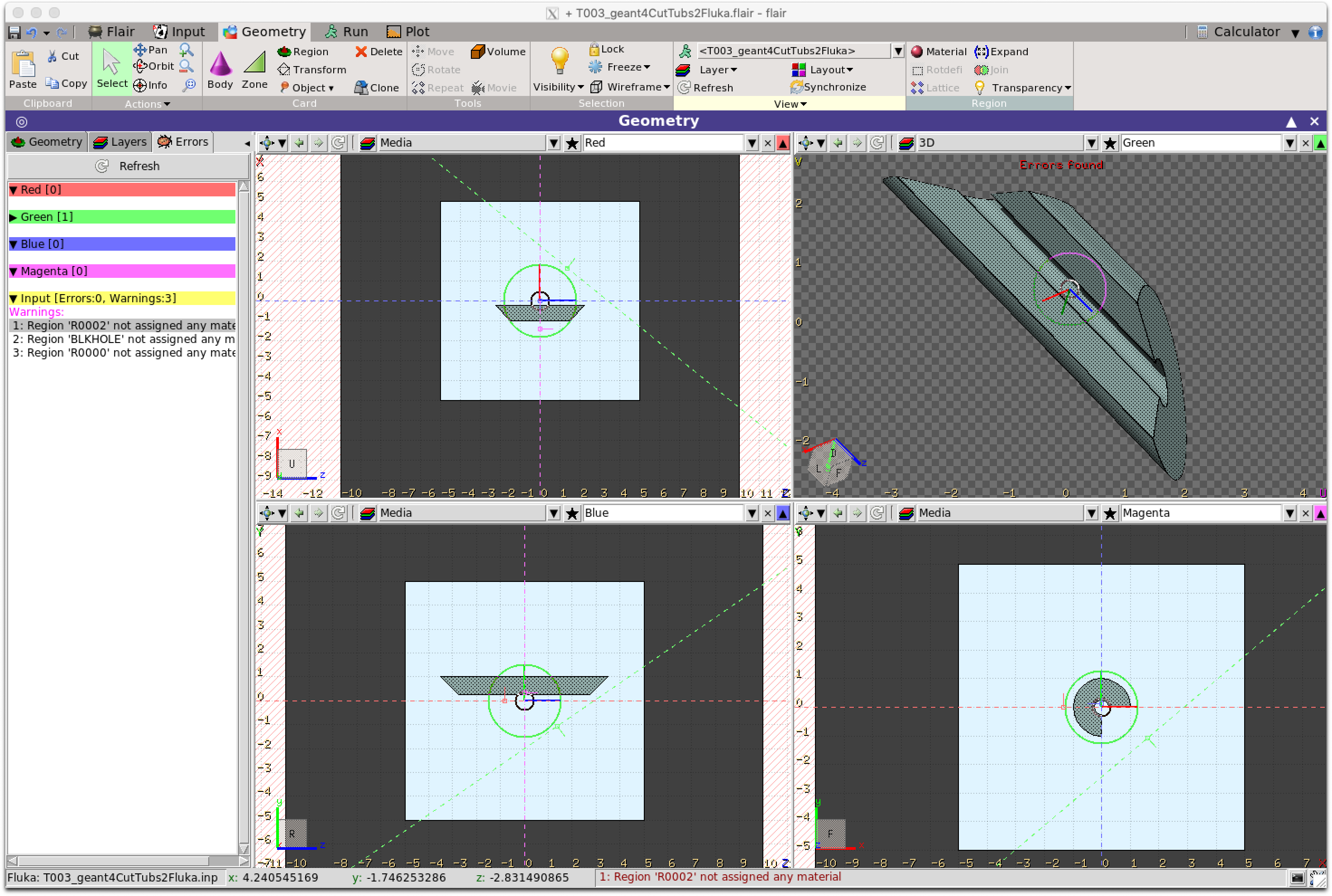
Note
All GDML placements are respected in the conversion from GDML to FLUKA, for both Placements and Boolean Solids. So for example a tree of LV-PV placements are reduced into a single transformation of a LV into a global coordinate space for FLUKA. A similar process is used for a tree of CSG operations.
Warning
Currently there are some things which are not implemented in the conversion. 1) Materials, 2) Scaled solids, 3) Reflections in placements, 4) Division, replica and parameterised placements. Some of these are straight forward to implement, like Materials and the non-Placement physical volumes can be done quickly if a user requires it.
FLUKA To GDML
FLUKA geometry can be converted to GDML using
pyg4ometry.convert.fluka2geant4. The conversion process is robust and
supports all FLUKA geometry constructs. Given a FLUKA file model.inp,
the following code can be used to translate it to a GDML file.
 1import pyg4ometry.fluka as fluka
 2import pyg4ometry.gdml as gdml
 3from pyg4ometry.convert import fluka2Geant4
 4
 5# Read the FLUKA file, get the FlukaRegistry, convert the registry to a
 6# Geant4 Registry
 7reader = fluka.Reader("model.inp")
 8flukaregistry = reader.flukaregistry
 9geant4Registry = fluka2Geant4(flukaRegistry)
10
11worldLogicalVolume = geant4Registry.getWorldVolume()
12worldLogicalVolume.clipSolid()
13
14writer = gdml.Writer()
15writer.addDetector(geant4Registry)
16writer.write("model.gdml")
The core of this functionality is the translation of the FlukaRegistry instance into the equivalent Registry (i.e. Geant4) instance.
Here is an example of a model viewed in flair and the resulting visualisation in VTK of the Geant4 model

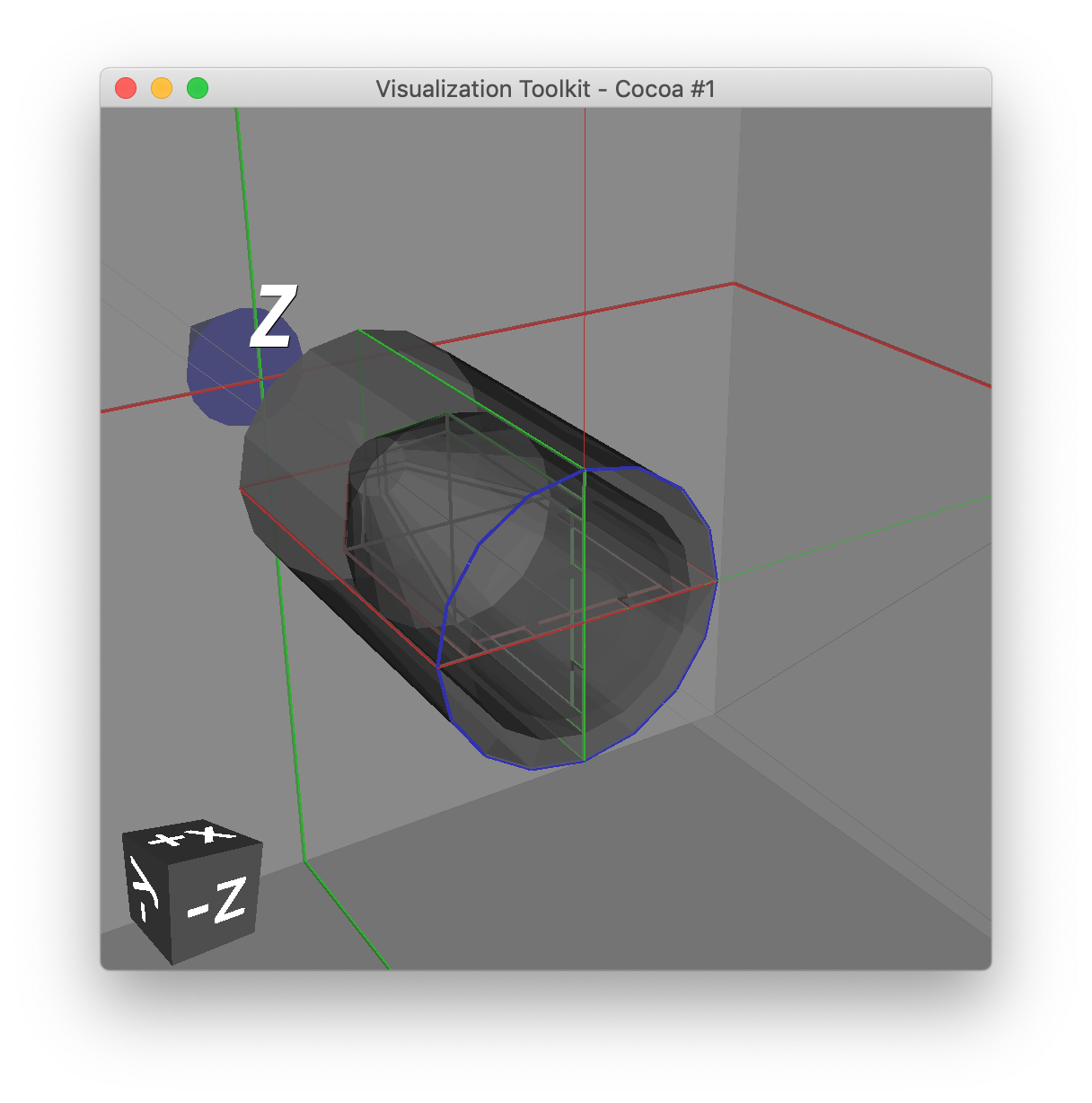
A number of keyword arguments are available to further modify the conversion. The fluka2Geant4 keyword arguments region and omitRegions allow the user to select a subset of the named regions to be translated.
The conversion of QUA bodies (fluka2geant4 kwarg quadricRegionAABBs) is complex and requires further explanation. In Pyg4ometry the mesh and GDML representations of FLUKA infinite circular cylinders, elliptical cylinders and half-spaces are all finite (but very large) cylinders, elliptical cylinders and boxes. This is robust as increasing the length of cylinders and depth/breadth of boxes does not increase the number of polygons used in the underlying mesh representation for that solid. However, this is not true of the quadric surface. A quadric surface cannot simply be generated to be “very large”, as the number of polygons will grow quickly, along with the memory consumption and facets in the resulting GDML TesselatedSolid, which will also slowing down tracking time in Geant4. For this reason the user must provide axis-aligned bounding boxes of the regions where any QUA bodies are present. It is recommended that these boxes be a centimetre larger than formally necessary to ensure a correct conversion. Providing the bounding box ensures that an efficient and accurate mesh of the QUA bodies can be generated meaning that the conversion to be performed in a tractable amount of time as well giving more performant tracking in Geant4.
CAD To GDML
CAD (STEP, IGES) files can be converted to GDML. This is based on
the OpenCASCADE libraries (the same as those used in FreeCAD).
The solids are in general tessellated and care must be taken with this type of conversion.
Depending on the complexity of the geometry the FreeCAD tessellation can
fail. In general there is not a requirement for CAD files to contain non-overlapping
solids (bodies). The mesh generation can be controlled by a dictionary (mesh in the
example below) whose keys are the body name and values are parameters associated with the
tessellation.
 1import pyg4ometry
 2reader = pyg4ometry.pyoce.Reader("./file.stp”) # read the cad file
 3fs = reader.freeShapes() # this is a little like the CAD equivalent of the world volume
 4worldName = pyg4ometry.pyoce.pythonHelpers.get_TDataStd_Name_From_Label(fs.Value(1)) # get the actual string of the name
 5mats={} # assignment of material to named objects
 6mesh={} # control of the mesh generated for a named object
 7skip=[] # list of named objects to skip
 8reg = pyg4ometry.convert.oce2Geant4(reader.shapeTool, worldName, mats, skip, mesh, oceName=True) # oceName is essential as there are lots of degenerate names in the CAD
 9
10# to write to GDML
11writer = pyg4ometry.gdml.Writer()
12writer.addDetector(reg)
13writer.write("./file.gdml”)
The conversion code is very similar to other format conversions. mats is a dictionary with key of body name and value of the
material name. The list skip is a list of body names to bypass the
conversion, for example if it is not required.